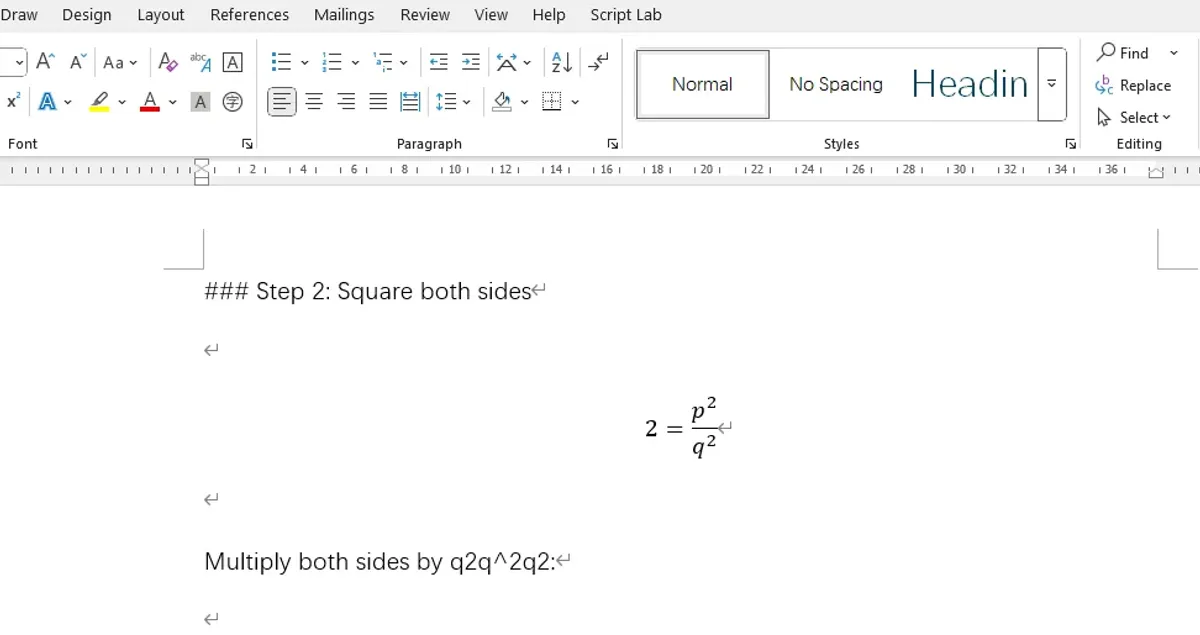
How to copy the formulas in ChatGPT response to word
- Metaphor Projects
- Application
- 20 Dec, 2025
Copy the formulas in ChatGPT response to word, simply 3 steps:
- Copy the ChatGPT response as markdown (keep LaTeX formulas)
- Select the formulas in Word and insert as equation
- Convert LaTeX formulas in Word math editor
Step 1: Copy as Markdown with LaTeX
For the first step, you will need Selection Copilot, a Chrome Extension. Install the extension and use its copy as markdown in the context menu to copy formulas in ChatGPT (or Gemini, Claude, Qwen, Deepseek, Poe, …).

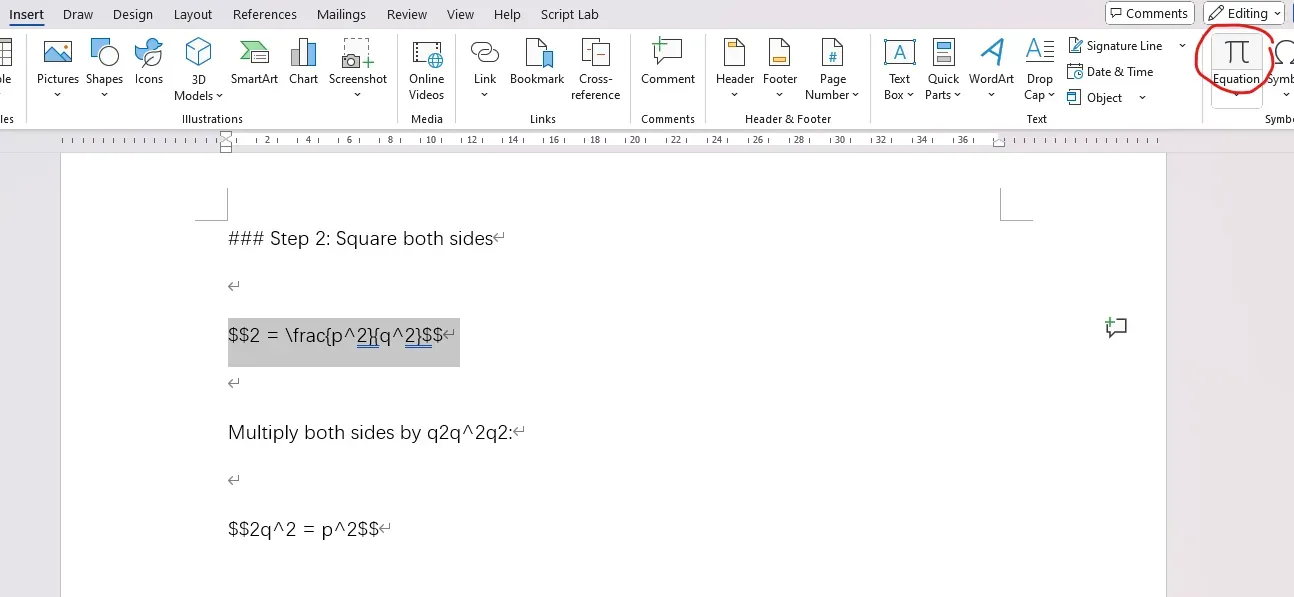
Step 2: Insert as Equation in Word
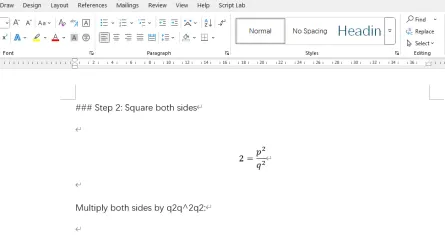
Second step, paste what you copied to Word. Select a formula and click the equation in Insert tab, you will enter math editor.
Step 3: Convert LaTeX to Professional Format
Third step, in the math editor (equation) tab, select LaTeX and click Convert (Current - Professional).
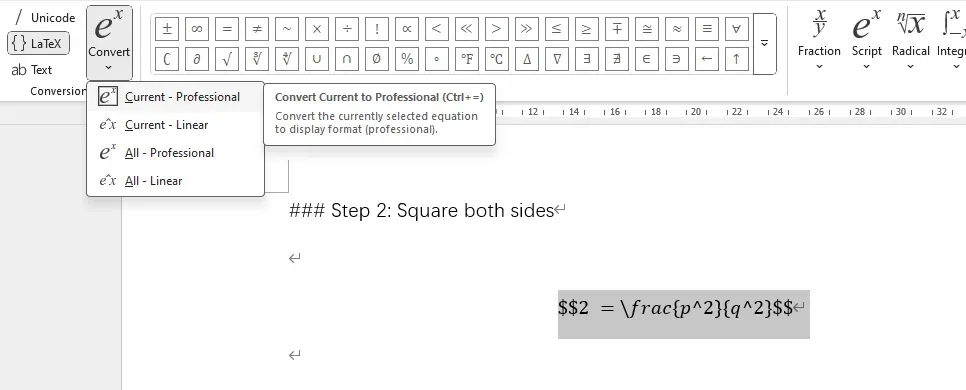
You will get the formula rendered, all set!