
Side Fileview
Browse the folder of any local file right in your browser's side panel and open files in the same tab: rendered Markdown, highlighted code, pretty-printed JSON, images, and even files inside ZIP, 7z and RAR archives. Everything stays on your device.


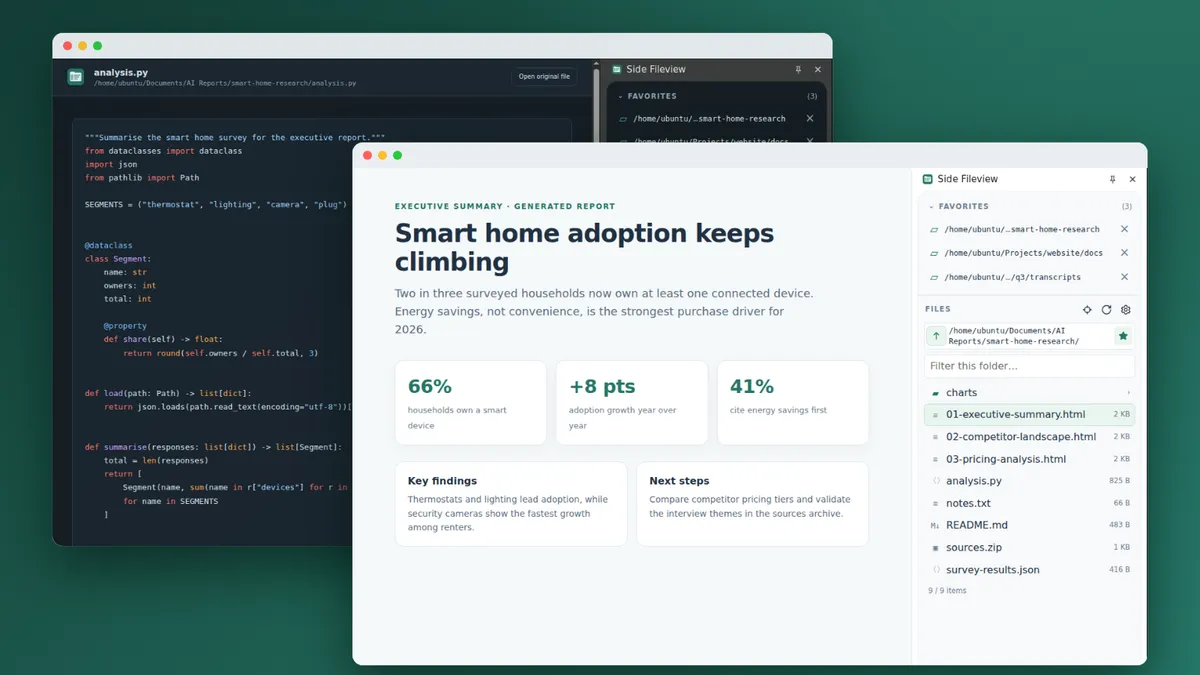
Browsers open local files well, but they never show you where a file lives. Side Fileview adds the missing folder view: open any file:// page, open the side panel, and every file in that folder is one click away, opening in the same tab.
It’s built for folders of AI-generated output. When an LLM or coding agent produces a set of HTML reports, Markdown notes, scripts and data files, open one of them and read through the rest without going back to your file manager.
Private and local by design: no account, server, analytics, advertising or cloud sync. File paths and contents never leave your device, the extension never modifies your files, and all code, including the archive decoder, ships inside the extension.
Getting started: after installing, open the extension’s details page and turn on Allow access to file URLs. Then open a local file and click the toolbar button, press Alt+Shift+F, or type sf, press Tab, type open and press Enter in the address bar. The panel belongs to that tab only, and the interface is available in English and Simplified Chinese.
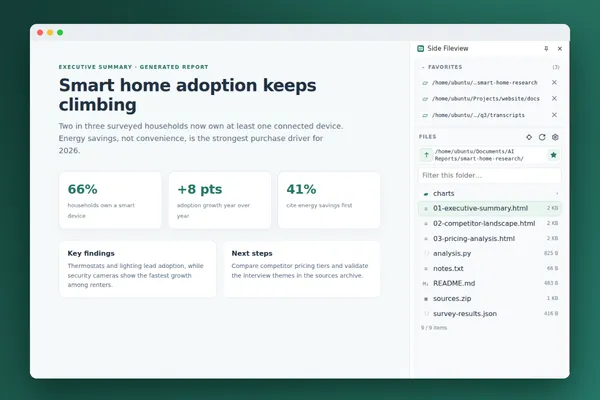
Your Whole Folder, Right Beside the Page
The side panel lists the folder of the file you’re viewing. Move into subfolders or back up, filter the list as you type, and click any file to open it in the same tab. The file you’re on stays highlighted, and one click finds it again. Star the folders you use most: favorites keep both the beginning and the end of long paths visible, so similar projects are easy to tell apart.
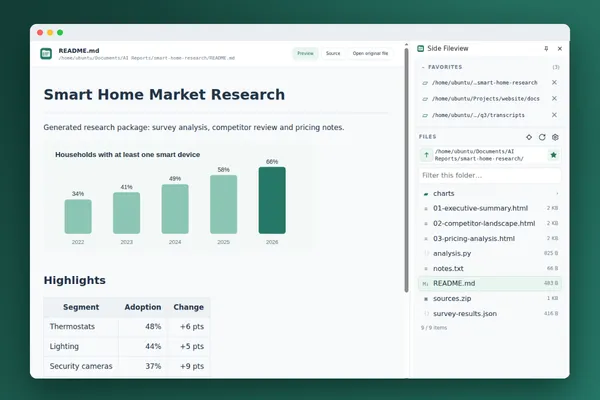
Markdown, Beautifully Rendered
Markdown opens as clean, readable HTML with tables, local images, relative links between documents, and syntax-highlighted code blocks. Switch to the raw source with one click, or make source view the default. Content is sanitized and scripts never run, so even untrusted Markdown is safe to read, and remote images are not loaded automatically.
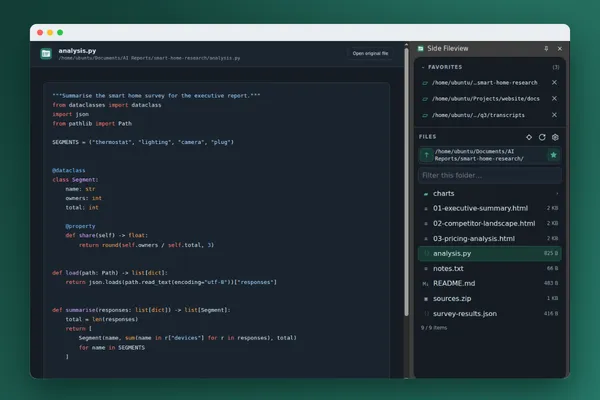
Readable Code, in Light or Dark
Source files open with syntax highlighting for JavaScript, TypeScript, Python, Go, Rust, SQL, shell scripts, YAML, CSS and many more languages. The panel and viewer follow your system’s light or dark theme automatically, and a single text-size setting applies to both the file list and the preview.
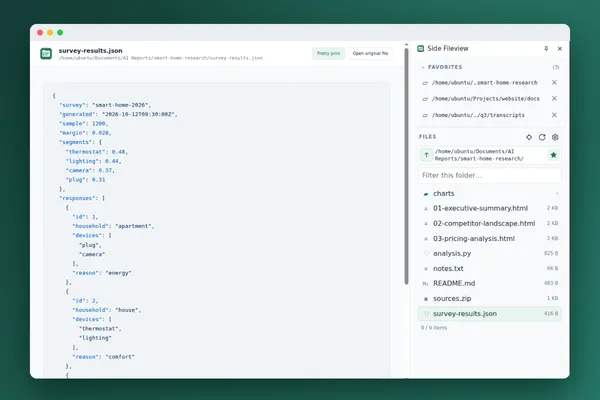
Pretty-Print JSON in One Click
Minified API responses and model outputs become readable instantly. Toggle pretty printing for JSON, JSON Lines and NDJSON files; the choice is remembered, and large numbers are kept exactly as written instead of being rounded.
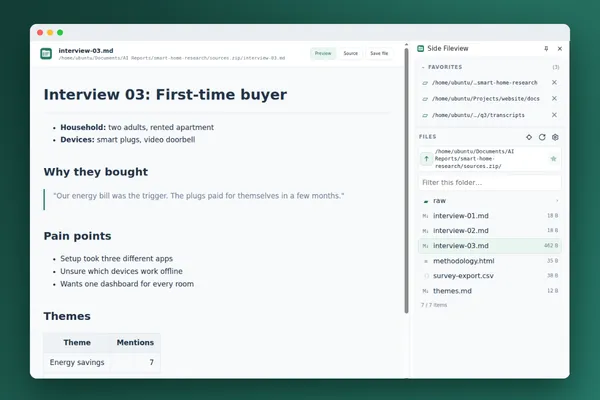
Look Inside Archives Without Extracting
ZIP, JAR, APK, EPUB, 7z, RAR, tar, tar.gz, tar.xz, tar.zst, ISO and more expand like folders in the side panel. Preview Markdown, code, HTML, images, PDFs, audio and video inside them, and save just the file you need. ZIP files are read on demand, so even very large ones open quickly, and encrypted ZIP and 7z archives ask for their password, which is kept only in memory.