
Readpeater
Make reading aloud a routine your child can return to. Practice Chinese and English passages, review the tricky words, and see progress from one reading to the next.

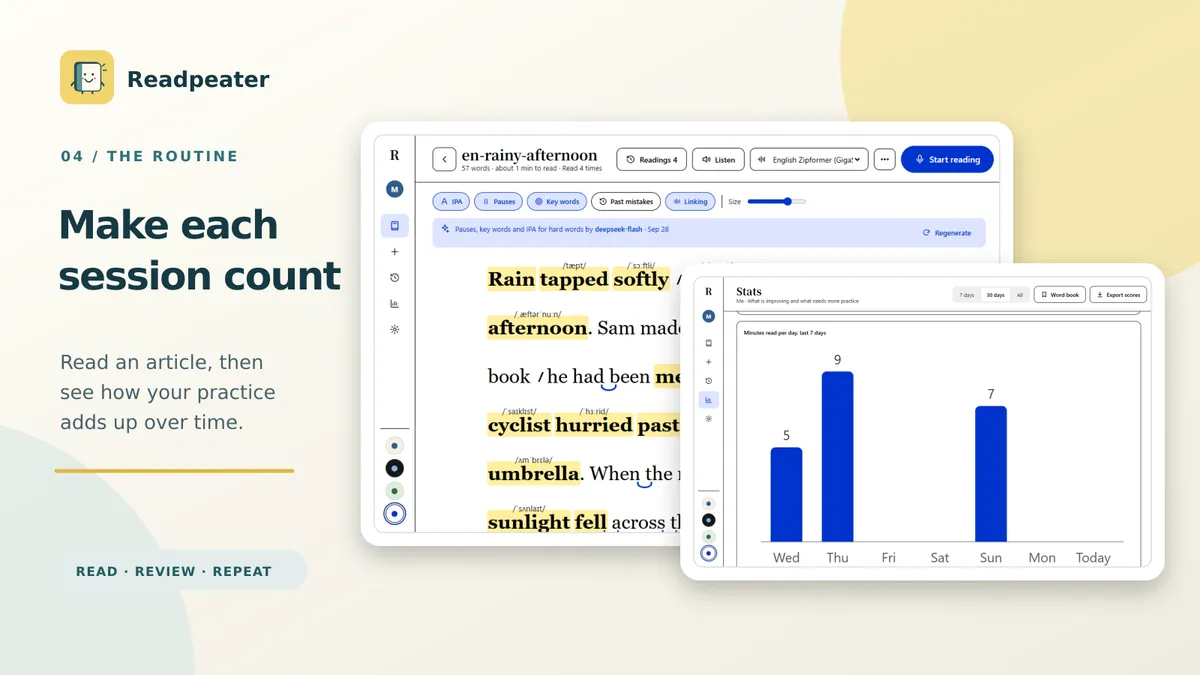
Read a short passage. See what went well and which words need another look. Then read it again. Readpeater gives children and parents a simple way to practice reading aloud in Chinese and English, with feedback after every round.
Start with a school passage, a favorite story, or a sample. Import a .txt or .md file, or paste your own text. While your child reads into the microphone, Readpeater follows their place in the passage and gives light hints so their attention stays on reading.
Keep practice comfortable with adjustable fonts, text size, colors, and reading marks. Separate member profiles let siblings share one device while keeping their own reading history, statistics, and vocabulary lists.
No account is required. After downloading the language model you choose, speech recognition and scoring run on your device. Articles and reading records stay locally. Optional services for reading assistance, explanations, photo text recognition, and spoken text depend on your device and configuration; they may send content to the provider you choose when used. Read the Readpeater privacy policy for details.
A Reading View That Fits Your Child
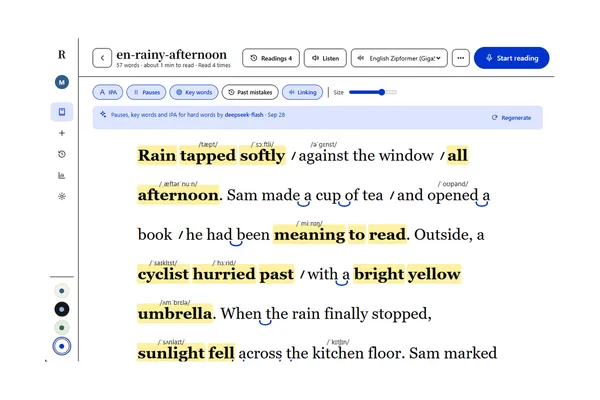
Practice one passage at a time, at your child’s own pace. The current reading position is highlighted, and you can adjust the font, text size, and colors to make the text comfortable to follow.
Optional reading assistance adds pause marks, highlights key words, and provides pronunciation cues. These features use your configured provider. Bring back the words missed last time when preparing for another round.
Useful Feedback After Every Reading
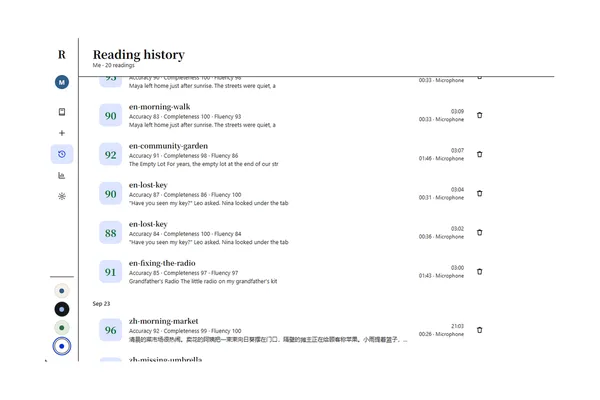
Each round has an overall score plus accuracy, completeness, and fluency scores. The report marks the full passage to show words read correctly and words that may have been skipped, repeated, or misread. Select a marked word to replay that part of your child’s own recording.
Open past reports to compare attempts. The bookshelf shows how many times each text has been read, its latest score, and the words missed last time, so the next practice round has a clear starting point.
See Small Steps Add Up
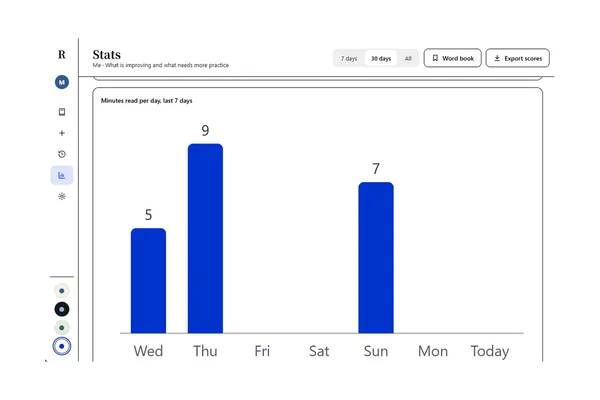
Reading time, practice streaks, accuracy trends, and recurring mistakes help you see how practice is going over time. Each article’s reading record shows how scores change from one round to the next.
Save words in a vocabulary list for later review. With a separate profile for each child, parents can follow individual progress and choose what to practice next.