Type something to search...
Use longarm and an AI Agent to Build a Safer Android Game Batch Task

Use longarm and an AI Agent to Build a Safer Android Game Batch Task

Many mobile games have a simple repeat loop: start a round, let it play, collect its result, and begin again. When a game permits this kind of automation, longarm can make the loop repeatable on an Android phone without giving a remote service access to the screen.

This article uses a generic tower-defense game as an example. The goal is not to bypass game rules, ads, purchases, rate limits, or anti-cheat protections. Check the game’s terms and use automation only where it is allowed.
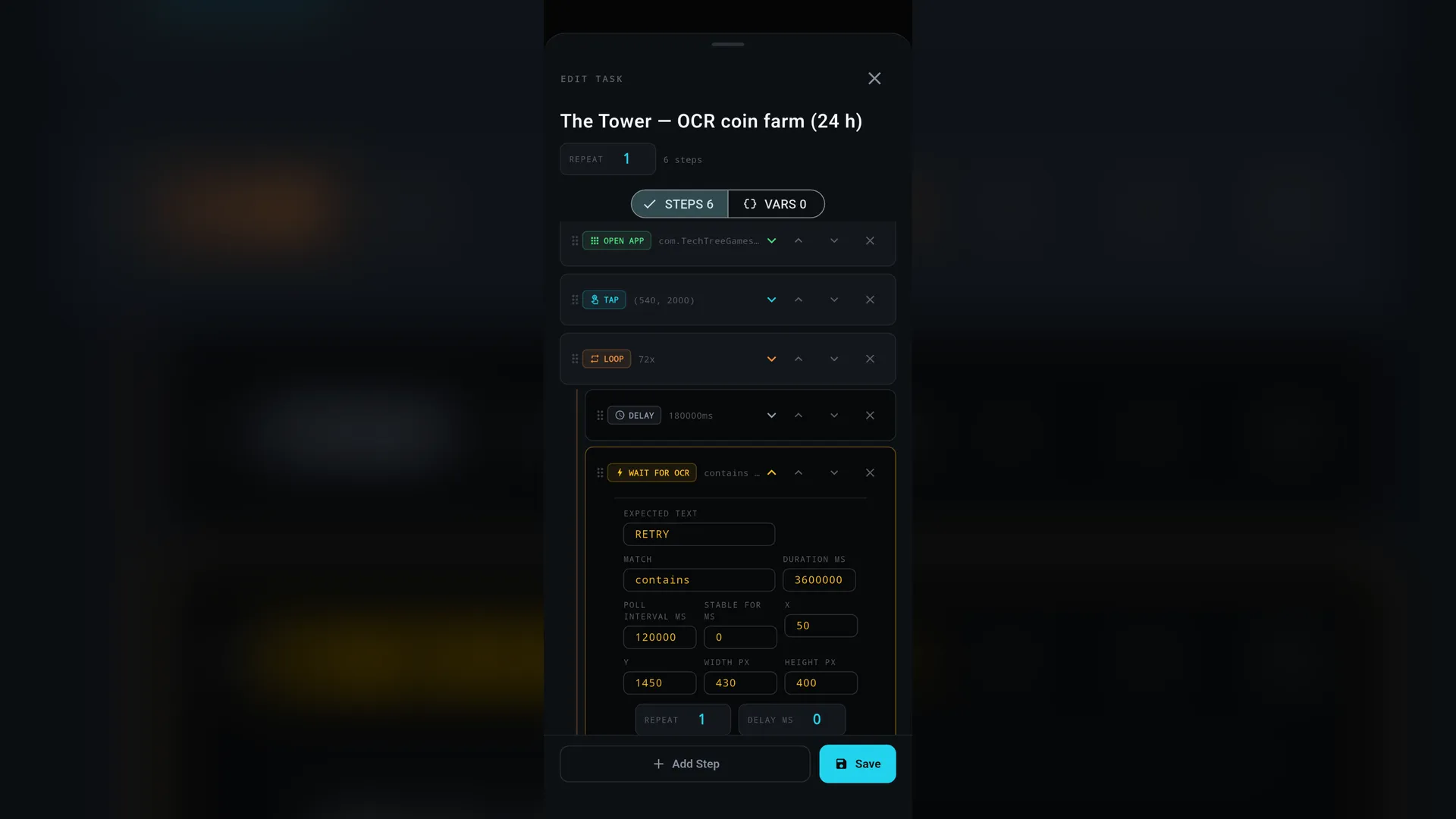
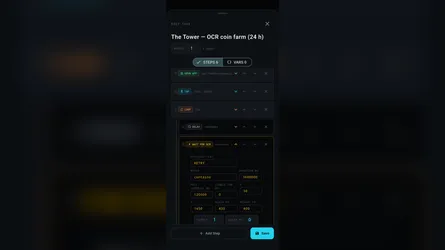
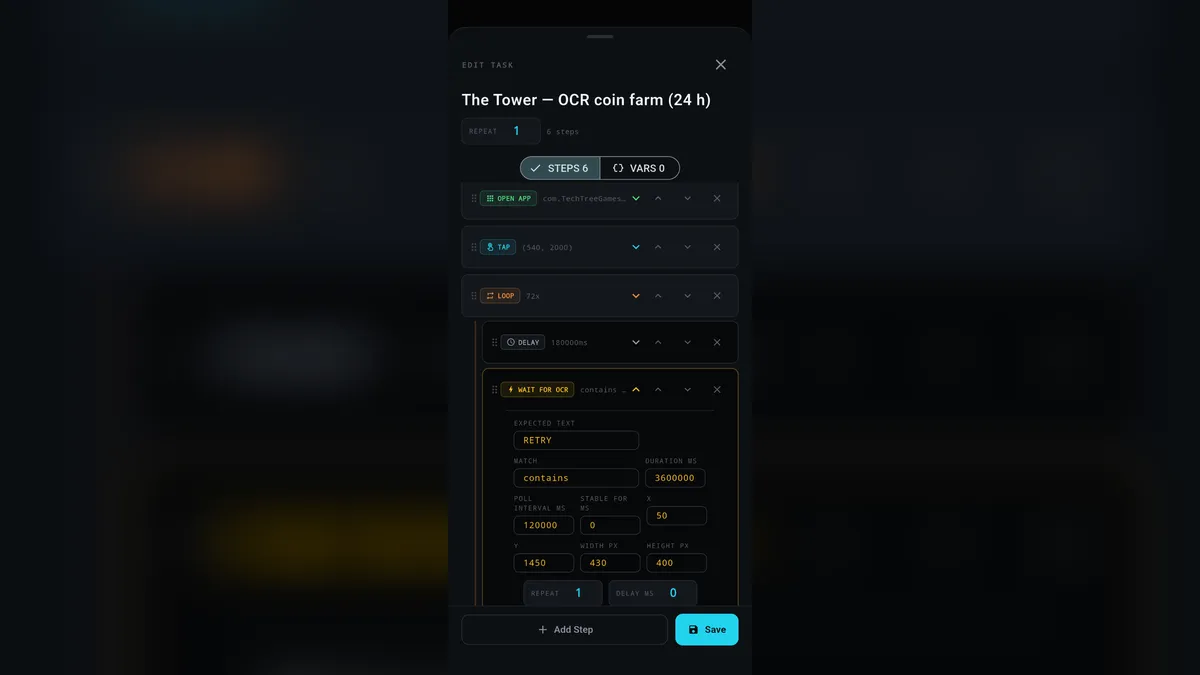
longarm batch task editor showing a loop step with a delay and a wait-for-OCR condition tuned to a cropped result region

Split the Work Between an AI Agent and longarm

The AI agent is best at setup and verification. It can inspect screenshots, identify the right screen regions, test one action at a time, and build a batch task from the verified actions.

longarm is best at execution. Once the task is saved, it opens the app, performs gestures, waits for a visual state, and repeats the loop locally on the device.

This separation matters. A long-running task should not blindly replay guesses made from a single screenshot.

Start With One Action at a Time

Before creating a batch task, have the agent test each action independently:

  1. Open the game package and confirm the expected home screen.
  2. Capture a screenshot with a coordinate grid.
  3. Tap the Start or Battle button and confirm that a live round begins.
  4. End or wait for one test round, capture the result screen, and identify the Retry button.
  5. Tap Retry once and confirm that the next round begins.

This catches two common problems: a screenshot may be scaled in a viewer, and a Unity-based game may not expose its controls through Android Accessibility.

Use OCR for the End-of-Round Condition

Accessibility selectors are ideal for normal Android apps. Games made with Unity or another custom renderer often draw their own text and controls, however, so the accessibility tree can be empty.

longarm 1.3.0 adds on-device OCR conditions. A batch can capture a cropped part of the current screen and wait until it recognizes a word such as RETRY. Crop tightly around the expected result button to reduce work and avoid matching an unrelated word.

For example, the task can wait for the result screen like this:

{
  "type": "wait_for_ocr",
  "params": {
    "text": "RETRY",
    "match": "contains",
    "x": 50,
    "y": 1450,
    "width": 430,
    "height": 400,
    "pollIntervalMs": 120000,
    "timeoutMs": 3600000
  }
}

The task first waits for a minimum expected round duration, then checks that screen region every two minutes. This is usually much lighter on battery than checking continuously.

Assemble the Batch Loop

A dependable task has four phases:

  1. Open the game activity.
  2. Tap the verified Start or Battle coordinate.
  3. Wait for a minimum time, then wait for OCR to find the results control.
  4. Tap the verified Retry coordinate and repeat.

Use a fixed maximum loop count and a sensible OCR timeout. Both give the task a clear end rather than allowing an unattended loop to run forever.

Keep Control of the Task

longarm’s Stop button interrupts ordinary delays and OCR waits immediately. Test Stop with a short disposable task before leaving a longer run unattended.

Keep the device charged, keep Accessibility enabled, and make sure the game does not show a dialog that covers the result button. If the game changes its layout, redo the single-action checks before restarting the saved loop.

Why the AI Agent Still Helps

An AI agent does not need to be in the loop for every tap. Its value is in making the automation explainable and testable: it can inspect the screen, determine whether OCR is appropriate, select a crop, validate coordinates, and save a reusable longarm batch task.

That turns a fragile macro into a local workflow you can inspect, stop, adjust, and run again when appropriate.
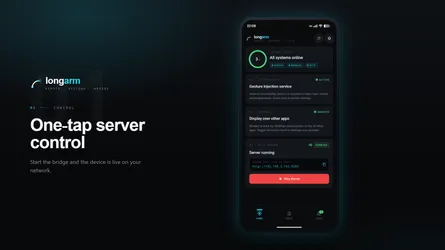
Get longarm on Google Play.

Related Posts

RESET-0: Entropy Architect Is Now Available on Android

RESET-0: Entropy Architect Is Now Available on Android

RESET-0: Entropy Architect is now available on Android through Google Play. The Android release brings the full cosmic incremental journey to phones and tablets. Begin with quantum fluctuations, auto

read more
longarm Is Now Available on Android

longarm Is Now Available on Android

longarm is now available on Android through Google Play. longarm turns an Android phone or tablet into a controllable remote endpoint for developers, testers, automation scripts, and AI agents. Start

read more

Let an AI Agent Resize a Window and Take the Screenshot

Screen automation is easiest to trust when the result is visible and repeatable. In this short demo, an AI agent uses the OverRec screen skill to find a browser window, resize it to an exact rectangle

read more
Run repeatable Android workflows with longarm batch tasks

Run repeatable Android workflows with longarm batch tasks

longarm now supports batch tasks: saved Android automation flows that can run more than one action at a time. Instead of sending a separate request for every tap, delay, app launch, or screenshot, yo

read more
longarm ya está disponible en Android

longarm ya está disponible en Android

longarm ya está disponible en Android a través de Google Play. longarm convierte un teléfono o tablet Android en un endpoint remoto controlable para desarrolladores, testers, scripts de automatizació

read more
RESET-0: Entropy Architect ya está disponible en Android

RESET-0: Entropy Architect ya está disponible en Android

RESET-0: Entropy Architect ya está disponible en Android a través de Google Play. La versión para Android lleva el viaje incremental cósmico completo a teléfonos y tablets. Empieza con fluctuaciones

read more
Automatiza flujos repetibles de Android con las tareas por lotes de longarm

Automatiza flujos repetibles de Android con las tareas por lotes de longarm

longarm ahora admite tareas por lotes: flujos de automatización de Android guardados que pueden ejecutar más de una acción a la vez. En lugar de enviar una solicitud separada para cada toque, pausa,

read more
RESET-0:熵之建筑师 现已登陆 Android

RESET-0:熵之建筑师 现已登陆 Android

RESET-0:熵之建筑师现已通过 Google Play 登陆 Android 平台。 Android 版本将完整的宇宙增量旅程带到手机和平板设备。从量子涨落开始,自动化不断扩张的宇宙机器,推进到恒星形成与黑洞工业阶段,持续建设,直到熵只剩下一个选择:设计下一个宇宙。 [在 Google Play 上下载 RESET-0](https://play.google.com/store/apps

read more
longarm 现已登陆 Android

longarm 现已登陆 Android

longarm 现已通过 Google Play 登陆 Android。 longarm 可以把 Android 手机或平板变成一个可远程控制的端点,适合开发者、测试人员、自动化脚本和 AI Agent 使用。启动内置 HTTP 服务器,复制设备 URL,就可以从同一局域网中的另一台机器发送 API 请求。 [在 Google Play 上下载 longarm](https://play.go

read more
让 AI Agent 直接控制屏幕:OverRec 的 MCP 服务器

让 AI Agent 直接控制屏幕:OverRec 的 MCP 服务器

AI 编程智能体擅长推理任务,但并不擅长真正操作屏幕: 找到一个窗口、把它摆正,再截出一张干净的图片,过去往往需要拼接一堆临时脚本。OverRec 通过作为 Model Context Protocol(MCP)服务器运行,填补了这道缺口。这样一来,无论是 Claude Code、Claude Desktop,还是你自己的工具

read more
使用 longarm 批处理任务运行可复用的 Android 工作流

使用 longarm 批处理任务运行可复用的 Android 工作流

longarm 现已支持批处理任务,也就是可保存、可一次执行多个动作的 Android 自动化流程。 你不再需要为每一次点击、延时、启动应用或截图分别发送请求,而是可以把这些步骤组合成一个具名任务。你可以在设备上的 Batch 标签页中运行它,也可以从脚本通过 HTTP API 触发,或者让兼容 MCP 的 AI Agent 以工具形式列出、保存、运行并检查批处理任务。 ![longarm 批

read more
Usa longarm y un agente de IA para crear una tarea por lotes más segura en un juego de Android

Usa longarm y un agente de IA para crear una tarea por lotes más segura en un juego de Android

Muchos juegos móviles tienen un bucle simple y repetible: iniciar una ronda, dejar que se desarrolle, recoger su resultado y volver a empezar. Cuando un juego permite este tipo de automatización, long

read more
使用 longarm 和 AI Agent 构建更安全的 Android 游戏批处理任务

使用 longarm 和 AI Agent 构建更安全的 Android 游戏批处理任务

许多手机游戏都有一个简单的重复循环:开始一局,让它进行,收集结果,然后重新开始。当游戏允许这类自动化时,longarm 可以让这个循环在 Android 手机上变得可重复执行,而无需让远程服务访问屏幕。 本文以一个通用的塔防类游戏为例。目的并不是绕过游戏规则、广告、内购、频率限制或反作弊保护。请查阅游戏的条款,仅在允许的范围内使用自动化。 ![longarm 批处理任务编辑器,展示一个包含延时

read more