Type something to search...
Run repeatable Android workflows with longarm batch tasks

Run repeatable Android workflows with longarm batch tasks

longarm now supports batch tasks: saved Android automation flows that can run more than one action at a time.

Instead of sending a separate request for every tap, delay, app launch, or screenshot, you can group those steps into one named task. Run it from the Batch tab when you are on the device, trigger it over the HTTP API from a script, or let an MCP-compatible agent list, save, run, and inspect batch tasks as tools.
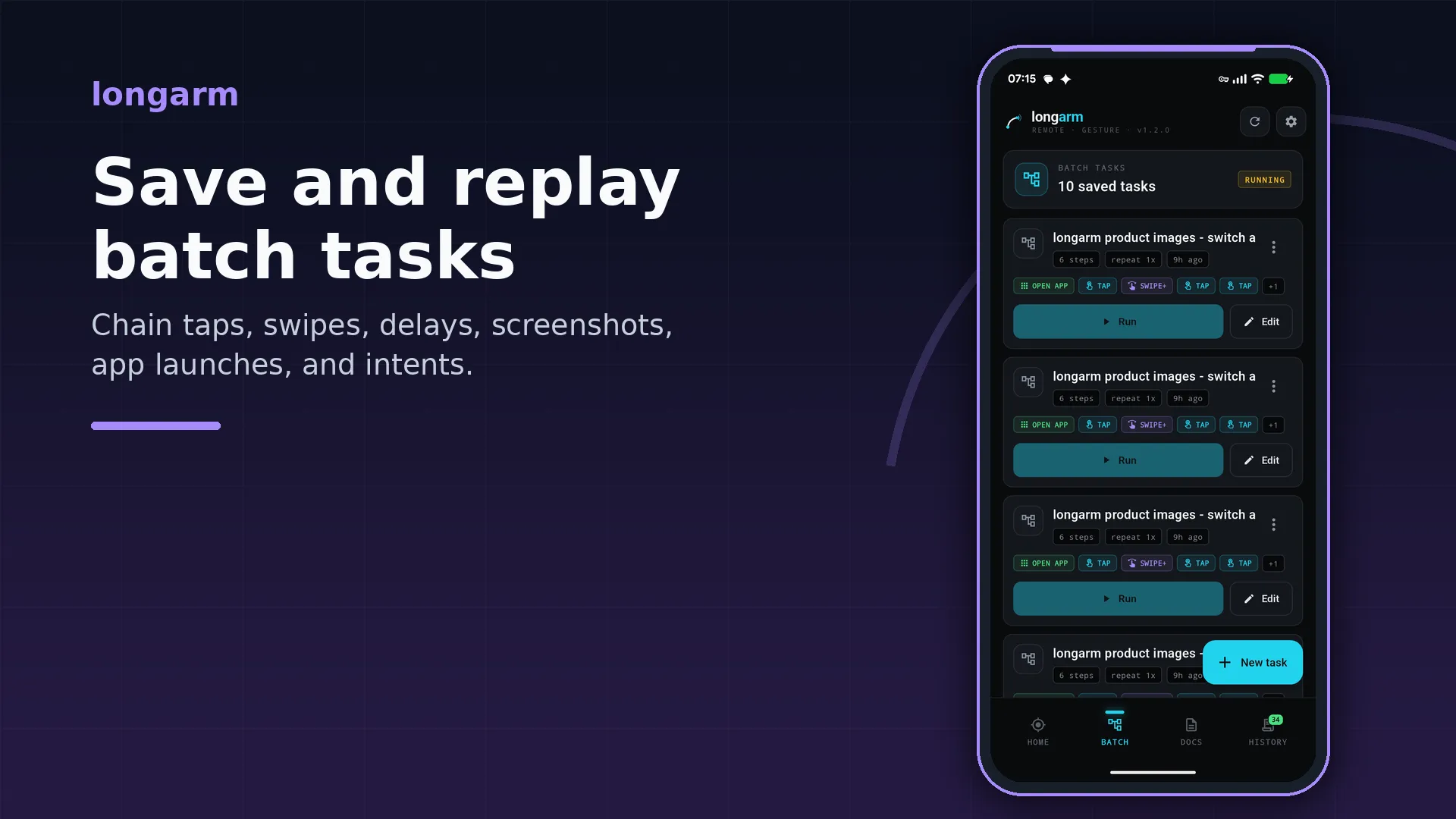
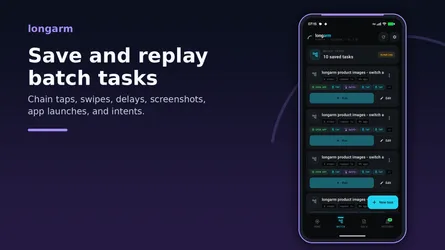
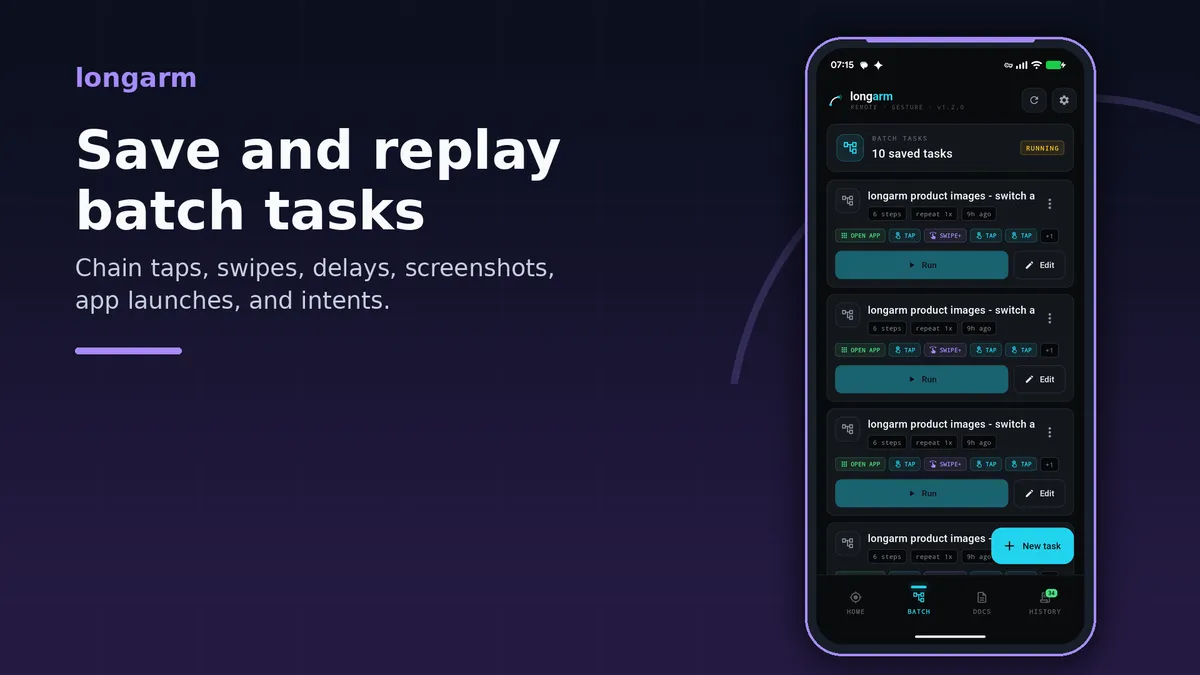
longarm batch tasks screen showing saved repeatable Android automation flows


What batch tasks add

The first version of longarm focused on direct remote control: start the local HTTP server, send a gesture request, capture a screenshot, and keep the device visible from your desktop workflow.

Batch tasks make that control repeatable.

A batch task can include:

  • taps, long-presses, swipes, pinches, rotations, and two-finger swipes
  • delays between steps
  • screenshots during the run
  • app launches by Android package name
  • Android intents for deeper app or system flows
  • variables for values reused across steps
  • loops for repeated child steps

That means the useful unit is no longer only “tap this coordinate”. It can be “open this app, wait for it to load, scroll the feed, capture the result, then keep a run record.”

Built for real workflows

Batch tasks are useful when the same Android flow needs to be repeated many times:

  • collect the same screenshots after each app build
  • drive a QA smoke test on a real device
  • open a target app and move it into a known state before manual testing
  • automate setup steps that are too device-specific for an emulator
  • give an AI agent a higher-level action instead of many fragile individual gestures

Each run is tracked in history with status, progress, messages, and captured screenshots. The run starts asynchronously and returns a runId, so scripts and agents can poll history without keeping a long HTTP request open.

Only one batch task runs at a time. If another task is already active, longarm returns a conflict instead of mixing two automation flows on the same screen.

Run from the app, HTTP, or MCP

The Batch tab is the easiest way to create and run tasks directly on the device. It is useful for building a flow once, naming it, and replaying it later.

The HTTP API is better when the task belongs to a desktop script, CI helper, or local automation tool. You can create saved tasks with /api/batch, run a saved task with /api/batch/<id>/run, or run an inline task immediately with /api/batch/run.

The MCP server exposes the same concept to AI agents. Tools such as batch_list, batch_save, batch_run, batch_run_inline, batch_status, and batch_history_get let an agent work with complete Android workflows instead of manually composing every low-level screen action.

Small Python example

This example starts an inline batch task that opens Android Settings, waits for it to load, captures a screenshot, and polls the run history until the task finishes.

Replace BASE_URL with the address shown in longarm. If your server uses an auth token, replace TOKEN with the token shown in the app.

import time
import requests

BASE_URL = "http://192.168.1.10:8080"
TOKEN = "secret"

headers = {
    "Authorization": f"Bearer {TOKEN}",
    "Content-Type": "application/json",
}

task = {
    "name": "Open Settings and capture",
    "steps": [
        {
            "type": "open_app",
            "params": {"packageName": "com.android.settings"},
            "delayAfterMs": 2000,
        },
        {
            "type": "screenshot",
            "params": {"scale": 1},
        },
    ],
}

run = requests.post(
    f"{BASE_URL}/api/batch/run",
    headers=headers,
    json=task,
    timeout=10,
).json()

run_id = run["runId"]
print("started", run_id)

while True:
    history = requests.get(
        f"{BASE_URL}/api/batch/history/{run_id}",
        headers=headers,
        timeout=10,
    ).json()

    print(history["status"], history.get("message", ""))

    if history["status"] != "processing":
        break

    time.sleep(1)

When the run finishes, the history entry includes progress and any screenshot references captured during the task. Screenshot file downloads and zip export are available from the history endpoints when longarm Plus is active.

Why it matters

Real-device automation often fails because every script has to rediscover the same setup steps. Batch tasks move those steps closer to the device and give them a stable name, a run history, and remote control surfaces through HTTP and MCP.

That makes longarm more practical for day-to-day Android automation: build a flow once, replay it from wherever you work, and keep the result visible enough to debug.
Get longarm on Google Play.

Related Posts

Learn Vocabulary Effortlessly with Infini Alchemy

Learn Vocabulary Effortlessly with Infini Alchemy

Are you looking for a fun and engaging game that can also help you learn new words? Look no further! Infini Alchemy is a creative alchemy game where you can combine basic elements like Water, Fire, Ea

read more
How to copy the formulas in ChatGPT response to word

How to copy the formulas in ChatGPT response to word

Copy the formulas in ChatGPT response to word, simply 3 steps:Copy the ChatGPT response as markdown (keep LaTeX formulas) Select the formulas in Word and insert as equation Convert LaTeX fo

read more
Master KET Vocabulary Through Alchemy: A New Learning Adventure

Master KET Vocabulary Through Alchemy: A New Learning Adventure

Infini Alchemy is an innovative web-based game that transforms vocabulary learning into an engaging alchemical adventure. By dragging and dropping elements to craft new items, players naturally absorb

read more
See the World Differently: Camera Effects in Sub Dimension

See the World Differently: Camera Effects in Sub Dimension

Your camera captures moments. Effects transform them into art. Sub Dimension comes packed with real-time visual effects that apply live in the viewfinder — what you see is what you get, whether you'r

read more
Real-Time Video Effects with GPU Acceleration

Real-Time Video Effects with GPU Acceleration

GPU rendering is now available in Sub Dimension Camera. This feature eliminates the need to wait for a video to "render" after recording. You can now preview and capture complex artistic filters in re

read more
longarm Is Now Available on Android

longarm Is Now Available on Android

longarm is now available on Android through Google Play. longarm turns an Android phone or tablet into a controllable remote endpoint for developers, testers, automation scripts, and AI agents. Start

read more

Move Any Window to an Exact Position and Size

You've set up a perfect workflow: your code editor on the left, browser on the right, terminal at the bottom. Then you restart your machine and spend the next five minutes dragging windows back into p

read more

Let an AI Agent Resize a Window and Take the Screenshot

Screen automation is easiest to trust when the result is visible and repeatable. In this short demo, an AI agent uses the OverRec screen skill to find a browser window, resize it to an exact rectangle

read more
How to Screenshot a YouTube Video (or Any Video Site) with OverRec

How to Screenshot a YouTube Video (or Any Video Site) with OverRec

You're watching a tutorial, a product demo, or a live stream and you want a clean frame from the video — no browser toolbar, no tab bar, no distractions. Here are two ways to do it with OverRec. ![Yo

read more
Record Any Screen Region to GIF or MP4 with OverRec

Record Any Screen Region to GIF or MP4 with OverRec

Screen recording usually starts with a compromise: capture the whole monitor and crop it later, or wrestle with a recorder's region selector every time. OverRec now records the exact rectangle you dra

read more
Meet Eidograph: A Geometry Workspace Built for AI Agents

Meet Eidograph: A Geometry Workspace Built for AI Agents

Asking an AI model to explain a theorem is easy. Asking it to build the actual figure is harder. A useful geometry agent must do more than return an image that looks plausible. It needs to create exa

read more
Give AI Agents Screen Control: OverRec's MCP Server

Give AI Agents Screen Control: OverRec's MCP Server

AI coding agents are good at reasoning about a task, but bad at touching the screen — finding a window, lining it up, and grabbing a clean screenshot has always meant gluing together ad-hoc scripts. O

read more
Eidograph Documentation Is Now Live

Eidograph Documentation Is Now Live

Eidograph now has a dedicated documentation site: eidograph-docs.metaphorprojects.link. Whether you are opening the app for the first time, trying a 3

read more
Eidograph Is Now Available on Android

Eidograph Is Now Available on Android

Eidograph is now available on Android. It brings the same dynamic 2D and 3D geometry workspace to phones and tablets: const

read more
Every Eidograph Example Now Plays in Your Browser

Every Eidograph Example Now Plays in Your Browser

The Eidograph documentation now has a full library of ready-made geometry projects, and none of them require an install to look at. Every example carri

read more
RESET-0: Entropy Architect Is Now Available on Android

RESET-0: Entropy Architect Is Now Available on Android

RESET-0: Entropy Architect is now available on Android through Google Play. The Android release brings the full cosmic incremental journey to phones and tablets. Begin with quantum fluctuations, auto

read more
Use longarm and an AI Agent to Build a Safer Android Game Batch Task

Use longarm and an AI Agent to Build a Safer Android Game Batch Task

Many mobile games have a simple repeat loop: start a round, let it play, collect its result, and begin again. When a game permits this kind of automation, longarm can make the loop repeatable on an An

read more
RESET-0: Entropy Architect ya está disponible en Android

RESET-0: Entropy Architect ya está disponible en Android

RESET-0: Entropy Architect ya está disponible en Android a través de Google Play. La versión para Android lleva el viaje incremental cósmico completo a teléfonos y tablets. Empieza con fluctuaciones

read more
longarm ya está disponible en Android

longarm ya está disponible en Android

longarm ya está disponible en Android a través de Google Play. longarm convierte un teléfono o tablet Android en un endpoint remoto controlable para desarrolladores, testers, scripts de automatizació

read more
Usa longarm y un agente de IA para crear una tarea por lotes más segura en un juego de Android

Usa longarm y un agente de IA para crear una tarea por lotes más segura en un juego de Android

Muchos juegos móviles tienen un bucle simple y repetible: iniciar una ronda, dejar que se desarrolle, recoger su resultado y volver a empezar. Cuando un juego permite este tipo de automatización, long

read more
Automatiza flujos repetibles de Android con las tareas por lotes de longarm

Automatiza flujos repetibles de Android con las tareas por lotes de longarm

longarm ahora admite tareas por lotes: flujos de automatización de Android guardados que pueden ejecutar más de una acción a la vez. En lugar de enviar una solicitud separada para cada toque, pausa,

read more
Eidograph ya está disponible en Android

Eidograph ya está disponible en Android

Eidograph ya está disponible en Android. Lleva el mismo espacio de trabajo de geometría dinámica en 2D y 3D a teléfonos y t

read more
longarm 现已登陆 Android

longarm 现已登陆 Android

longarm 现已通过 Google Play 登陆 Android。 longarm 可以把 Android 手机或平板变成一个可远程控制的端点,适合开发者、测试人员、自动化脚本和 AI Agent 使用。启动内置 HTTP 服务器,复制设备 URL,就可以从同一局域网中的另一台机器发送 API 请求。 [在 Google Play 上下载 longarm](https://play.go

read more
RESET-0:熵之建筑师 现已登陆 Android

RESET-0:熵之建筑师 现已登陆 Android

RESET-0:熵之建筑师现已通过 Google Play 登陆 Android 平台。 Android 版本将完整的宇宙增量旅程带到手机和平板设备。从量子涨落开始,自动化不断扩张的宇宙机器,推进到恒星形成与黑洞工业阶段,持续建设,直到熵只剩下一个选择:设计下一个宇宙。 [在 Google Play 上下载 RESET-0](https://play.google.com/store/apps

read more
使用 longarm 批处理任务运行可复用的 Android 工作流

使用 longarm 批处理任务运行可复用的 Android 工作流

longarm 现已支持批处理任务,也就是可保存、可一次执行多个动作的 Android 自动化流程。 你不再需要为每一次点击、延时、启动应用或截图分别发送请求,而是可以把这些步骤组合成一个具名任务。你可以在设备上的 Batch 标签页中运行它,也可以从脚本通过 HTTP API 触发,或者让兼容 MCP 的 AI Agent 以工具形式列出、保存、运行并检查批处理任务。 ![longarm 批

read more
使用 longarm 和 AI Agent 构建更安全的 Android 游戏批处理任务

使用 longarm 和 AI Agent 构建更安全的 Android 游戏批处理任务

许多手机游戏都有一个简单的重复循环:开始一局,让它进行,收集结果,然后重新开始。当游戏允许这类自动化时,longarm 可以让这个循环在 Android 手机上变得可重复执行,而无需让远程服务访问屏幕。 本文以一个通用的塔防类游戏为例。目的并不是绕过游戏规则、广告、内购、频率限制或反作弊保护。请查阅游戏的条款,仅在允许的范围内使用自动化。 ![longarm 批处理任务编辑器,展示一个包含延时

read more
Eidograph 现已上线 Android

Eidograph 现已上线 Android

Eidograph 现已上线 Android。它将同一套动态 2D 与 3D 几何工作区带到手机和平板电脑:你可以直接在画布上构造、编写 Eidolang 脚本,或在同一图形的两种视图之间切换。 当一个几何任务开始于问题而非图示时,Androi

read more