Meet Eidograph: A Geometry Workspace Built for AI Agents
- Metaphor Projects
- Application
- 21 Aug, 2026
Asking an AI model to explain a theorem is easy. Asking it to build the actual figure is harder.
A useful geometry agent must do more than return an image that looks plausible. It needs to create exact objects, preserve their dependencies, notice invalid commands, revise its work, and leave behind a construction that a person can inspect and continue editing.
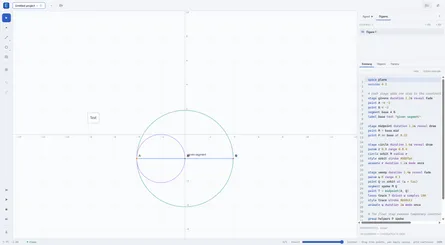
Eidograph is a new dynamic geometry workspace designed around that workflow. Its visual canvas and plain-text construction language are two views of the same figure. Human edits and agent edits therefore meet in one shared, reproducible model instead of producing separate drawings that slowly drift apart.
The Agent Works With Geometry, Not Pixels
In Eidograph, the script is the source of truth. A point, circle, intersection, transformation, parameter, or surface is represented as a readable construction command. The canvas renders that source, and dragging an editable object updates the corresponding values in it.
That gives an agent something much better than a screenshot to manipulate. It can:
- create plane or solid figures;
- read the active construction or inspect another exposed figure;
- discover available commands and their signatures;
- append new geometry or revise existing source;
- inspect evaluated objects and compiler diagnostics;
- highlight an object on the visible canvas; and
- export a finished figure as SVG or PNG.
The result remains normal Eidograph content. You can select objects, drag free or bound points, change styles, edit the script, animate parameters, undo a tool call, or save the complete project as an .eido file.
From a Prompt to a Checked Construction
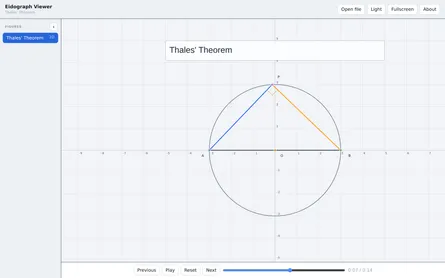
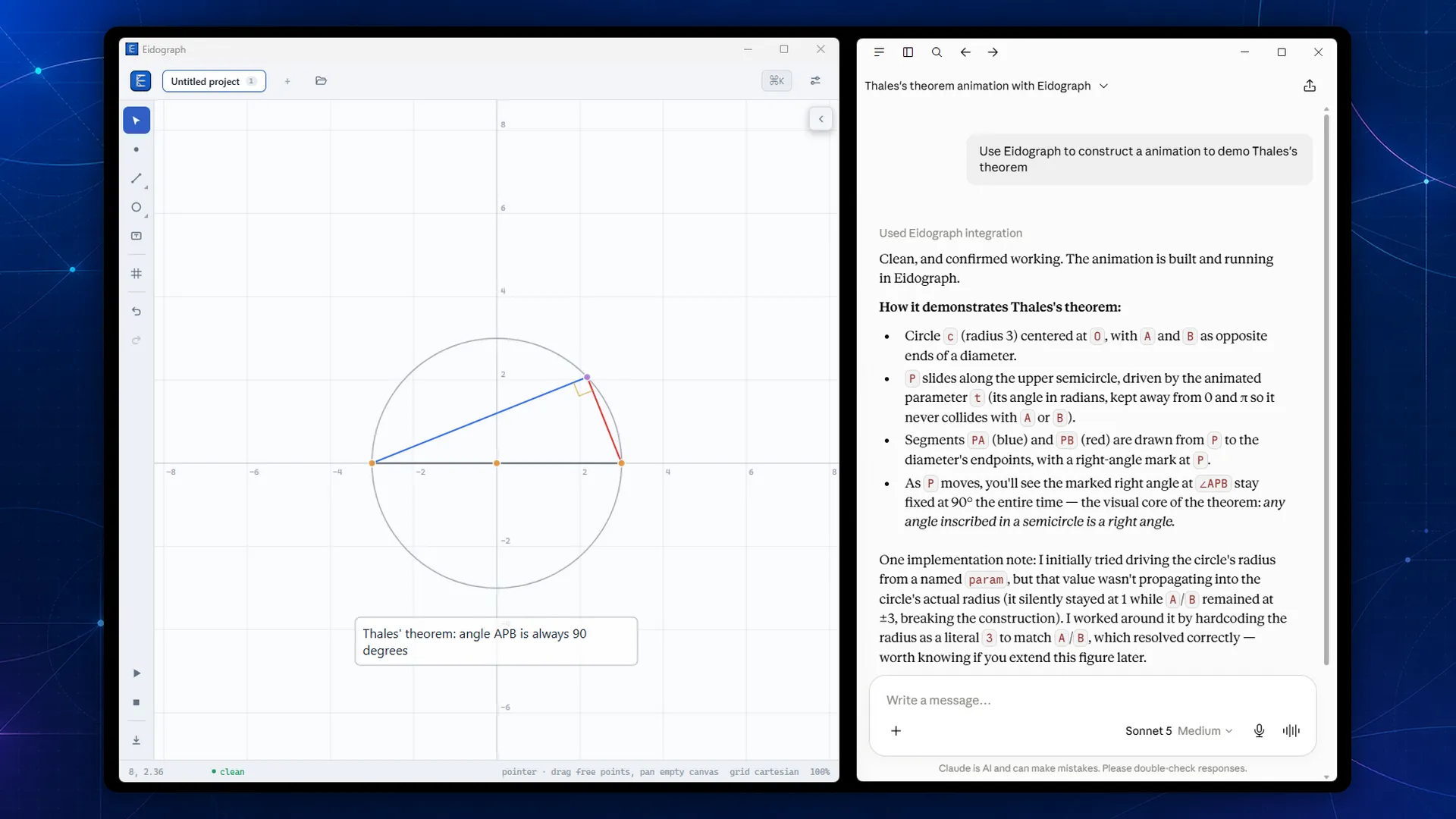
Consider the request shown above: construct an animated demonstration of Thales’ theorem.
An agent can begin by creating a plane figure, then define the circle, its diameter, a point constrained to the semicircle, and the two segments that form the inscribed angle. Because these are dependent geometry objects rather than painted marks, moving the point recomputes the construction while the angle remains a right angle.
The important part is what happens when the first attempt is imperfect. Eidograph compiles every proposed append_commands or set_script edit before applying it. If the candidate contains an error—or a command would be skipped—the current construction stays unchanged and the tool result includes diagnostics and hints. The agent can inspect the earliest problem, correct the command, and try again.
Once the figure is valid, the agent can add a parameter, animate the point, inspect the resulting objects, and export the fitted construction. This creates a useful loop:
- Inspect the figure and command vocabulary.
- Add or revise a small part of the construction.
- Read diagnostics and evaluated object state.
- Correct the construction when necessary.
- Animate or export only after the geometry is valid.
It is agentic work with visible state, feedback, and a result that can be reproduced from source.
One Tool Surface, Inside and Outside the App
Eidograph offers two ways to bring an agent into this loop.
The built-in Agent panel connects to a model endpoint that you configure. It supports OpenAI-compatible services, Anthropic, and Google Gemini or Vertex AI. You can attach a textbook photo or sketch to a prompt when using a vision-capable model, watch each tool call in the conversation, and see accepted edits appear on the canvas as they happen.
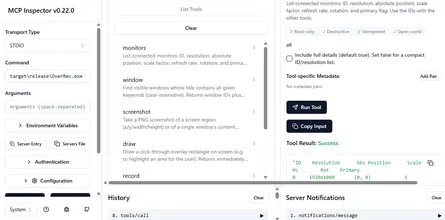
The installed Windows app can also run a local Model Context Protocol server and JSON REST API. An MCP-compatible coding or desktop agent can discover Eidograph’s bundled language references and examples, list the enabled tools, create or inspect figures, respond to diagnostics, and request an SVG or PNG export.
Both paths use the same tool definitions, compiler, persistence, rendering, and undo history. The in-app assistant does not receive a hidden privileged editing path, and an external agent does not have to simulate clicks.
Agent Edits Stay Visible and Reversible
Automation is more useful when it does not take ownership away from the person using it.
Each accepted agent tool call becomes an ordinary undo step. The conversation shows the tool name, arguments, and result instead of hiding the process behind a final paragraph. A turn can also be reverted: if you edited the construction afterward, Eidograph attempts to remove the agent’s changes while preserving yours.
For external tools, access is explicit. The MCP and REST listener is off by default and uses loopback by default. You choose which tools are enabled, which figures are exposed, and whether the server may listen on a trusted local network. The settings panel keeps a recent activity log so you can see which caller used which tool.
What This Makes Possible
Eidograph’s agent tools are useful anywhere the deliverable should be more than a generated picture:
- turn a geometry problem into an editable classroom demonstration;
- generate consistent technical illustrations for notes or documentation;
- explore alternate constructions while keeping every dependency visible;
- build 2D function plots or 3D surfaces from a written specification;
- let a coding agent create and export diagrams as part of a larger workflow; or
- inspect and revise a deterministic construction across several agent turns.
The canvas is still there for direct manipulation, and the source is still there for precision. The agent adds another way to work with both.
Get Eidograph on Google Play or download it from the Microsoft Store.